AI Harness Docs
Docs for AI harness
Section titled “Docs for AI harness”Setting up an API key
Section titled “Setting up an API key”This next section will guide you through setting up the AI harness with google’s API.
-
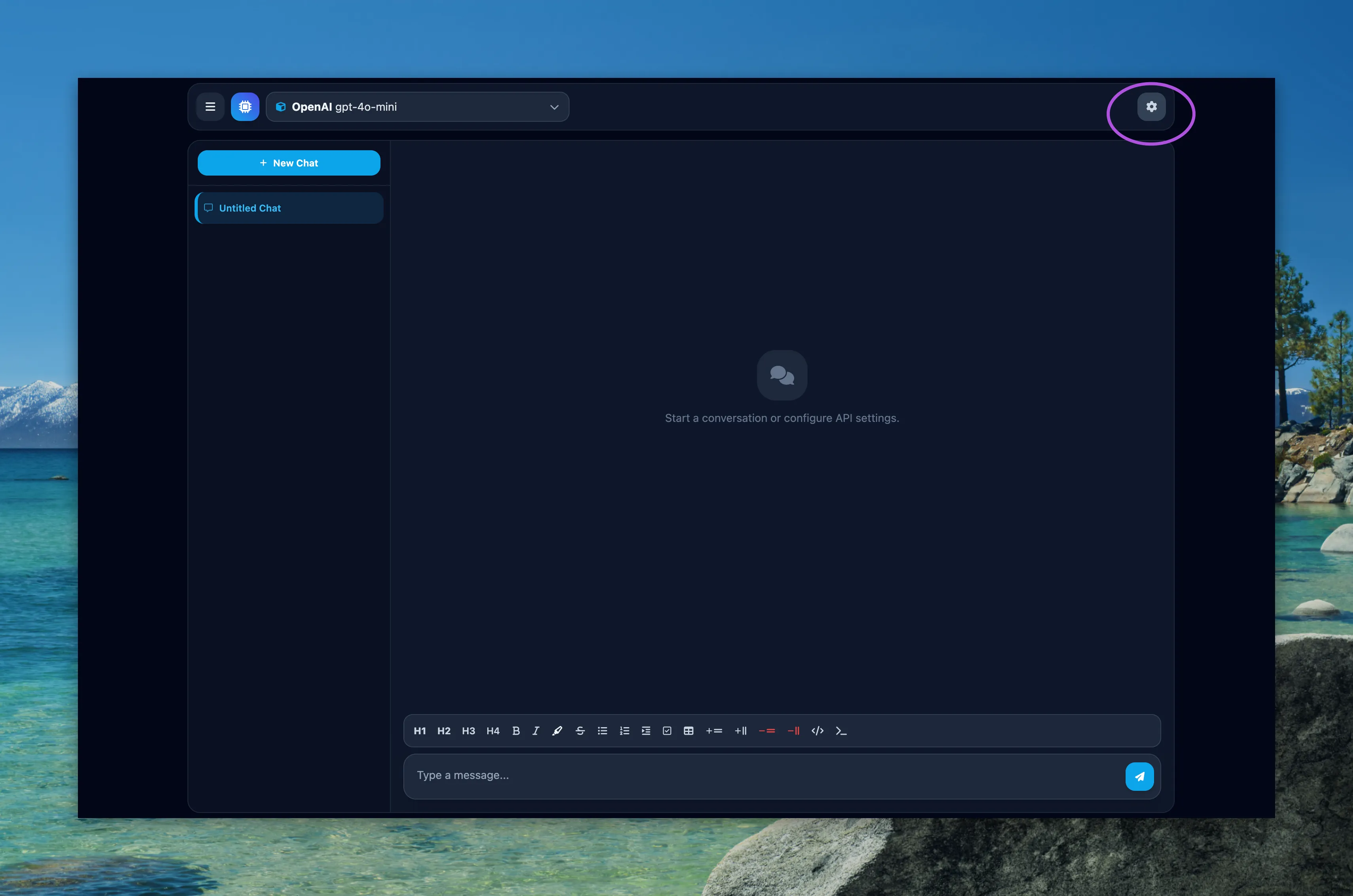
Go to settings (Gear icon on the top right of the screen)
-
Then Change the provider to Google and change the endpoint to
https://generativelanguage.googleapis.com/v1beta/openai/- Navigate to Google AI Studio and get your free API key from there.
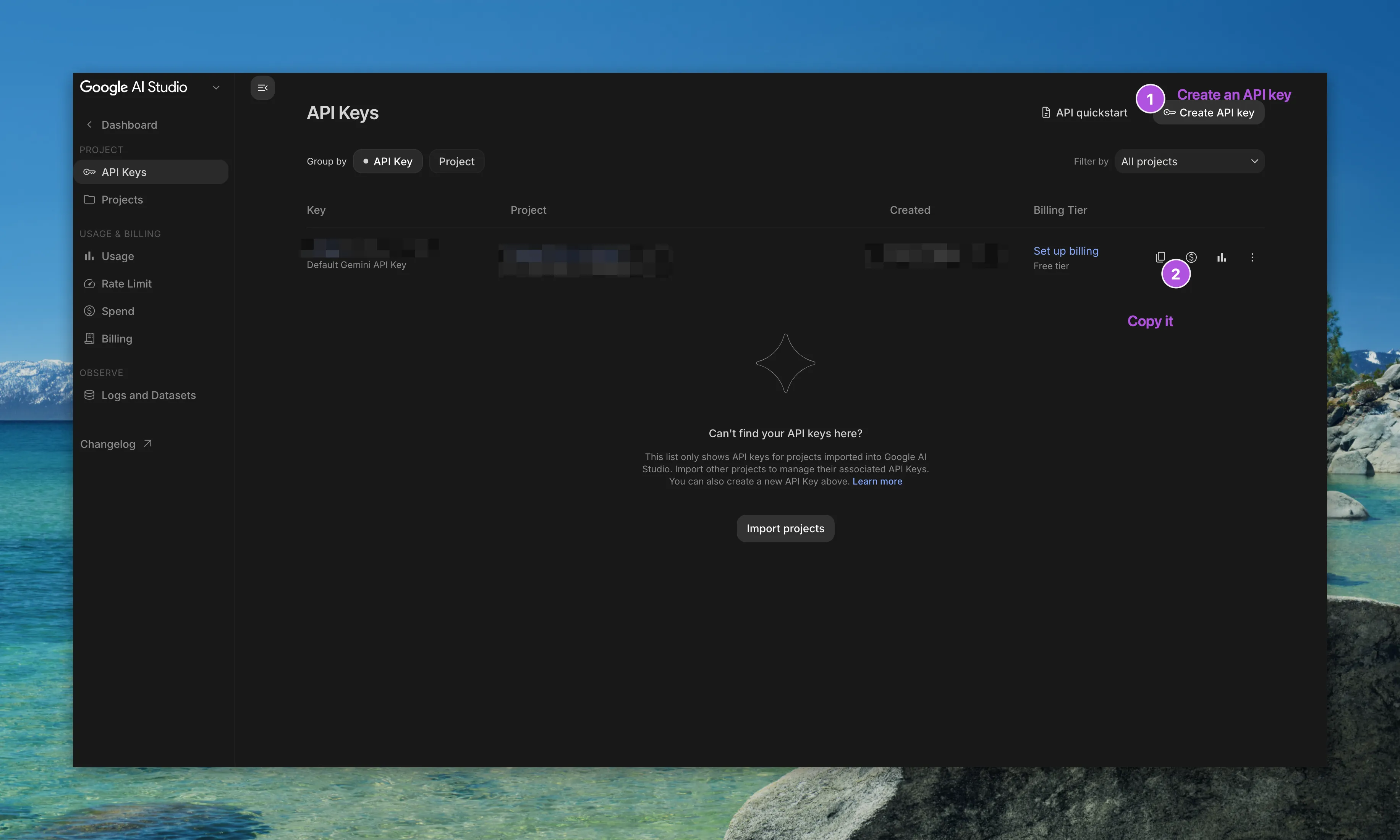
- Paste the API key into the AI harness.
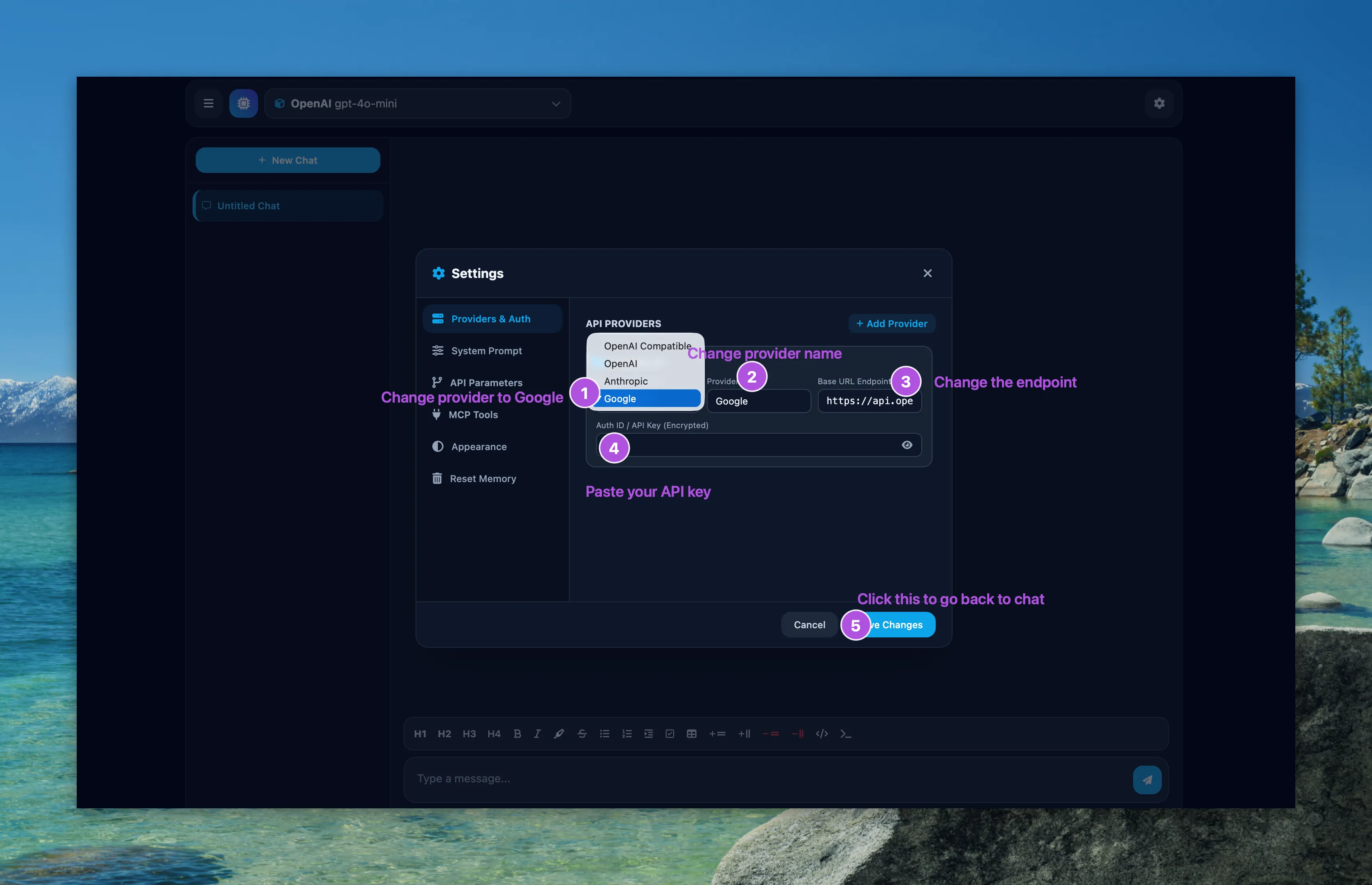
- Close settings
- Select a model from the model picker in the top left corner (the Flash models are free)
- Enjoy your chat